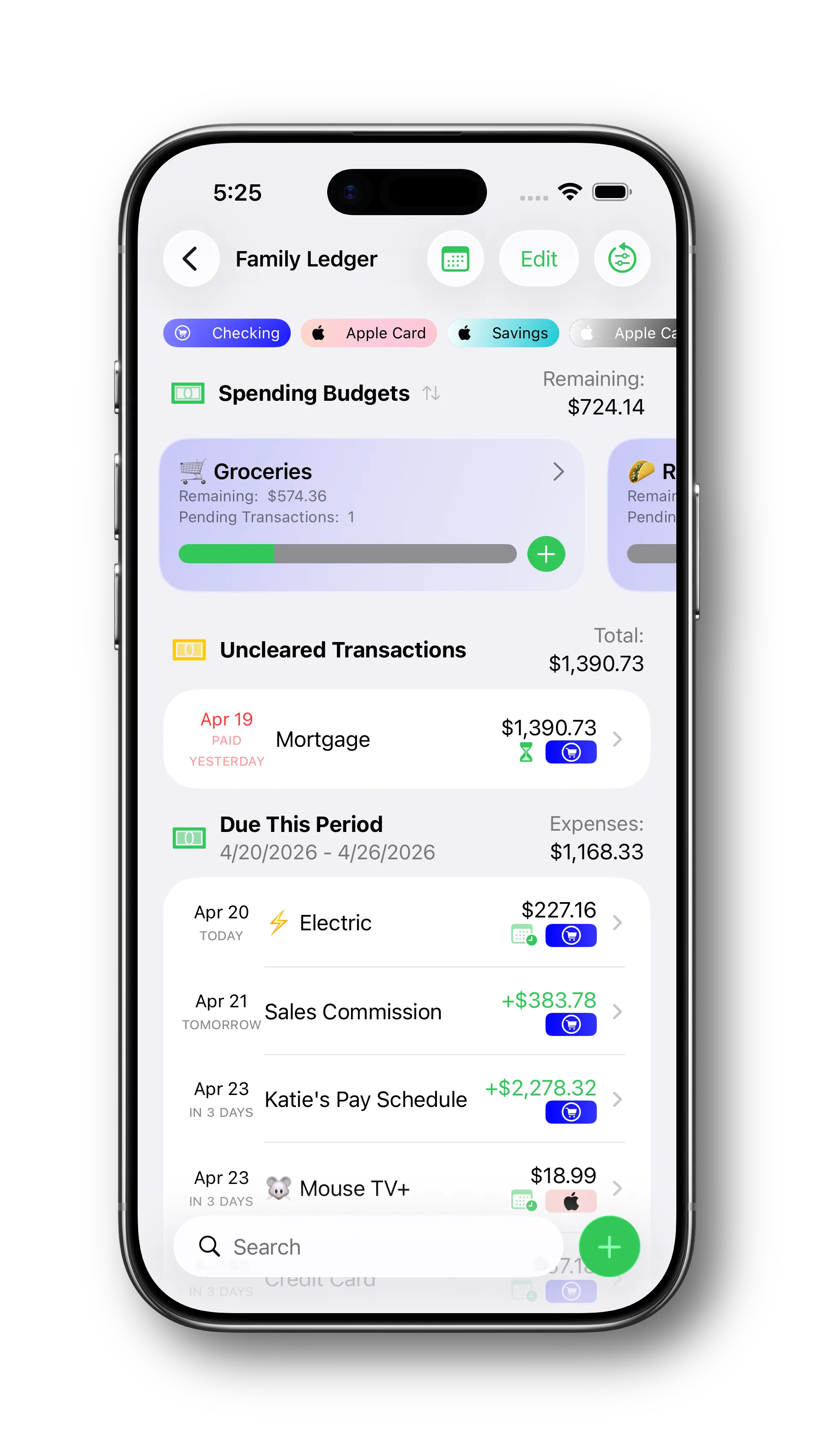
A lot of budgets look tidy on paper and start to fall apart the moment real life shows up. Income lands at odd times. A payment has technically gone out, but has not cleared the bank yet. A budget category needs cleanup before the next cycle starts, but there is no good moment to review everything in one place.
Our Spring update is aimed directly at these gaps. It gives you better ways to bring irregular income into the plan and a better way to review accounts and budgets while the cycle is still moving, not only after you discover that something has drifted out of sync.
Make irregular income part of the plan
Income does not always arrive in the same neat pattern every month. Some people are paid on a consistent schedule, but the amount changes from check to check because of overtime, tips, commissions, shift differentials, or hours worked. Other income shows up outside that rhythm entirely. For families dealing with irregular income, that can make it much harder to stay consistent with a budget, because the question is not just what bills are coming up, but how much money is really going to be there when they do.
Pay Schedules are still the right tool when you expect income on a regular cadence, even if the exact amount changes. When payday arrives, you can mark the schedule as paid and choose a different amount so the actual deposit matches what landed in your bank account.
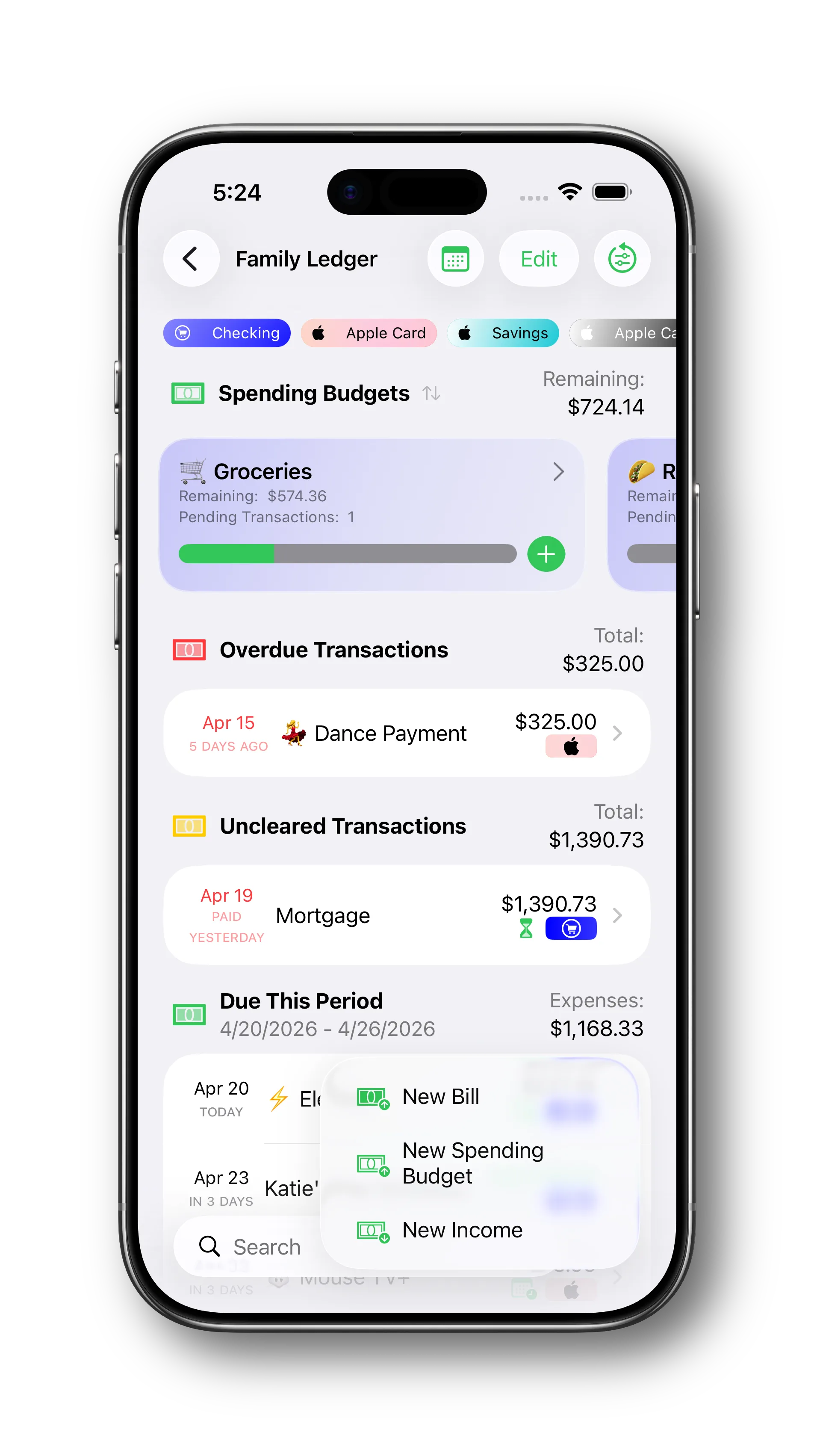
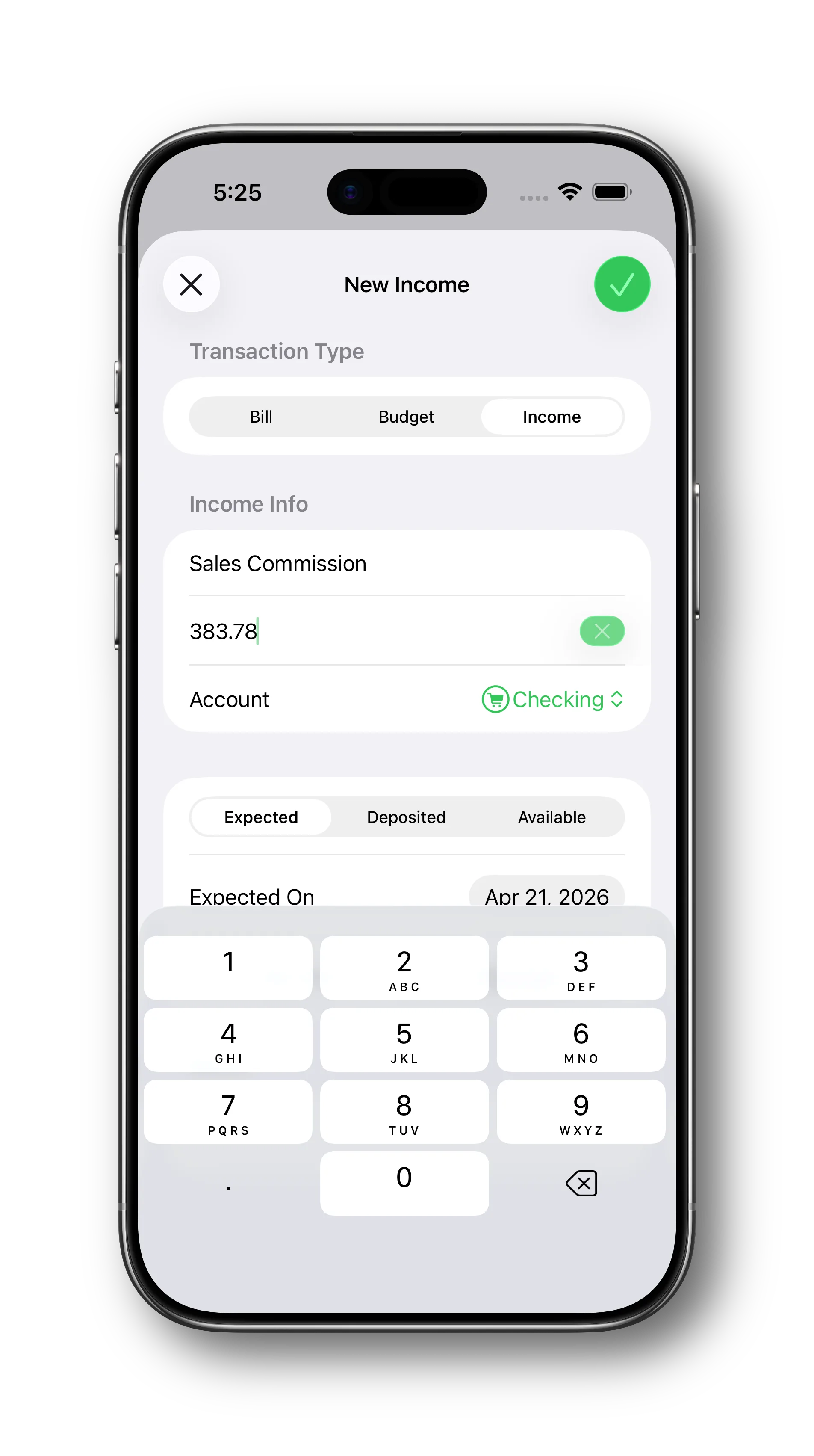
One-Time Income Transactions cover the rest. As soon as you have a rough idea of when money is coming in, you can create an income transaction and let it sit in the future plan, even marking it as a direct deposit if that fits how it will arrive. When payday hits, you can mark it as deposited, which works a lot like a bill that has been paid but not cleared yet: the deposit date is recorded, but you still keep track of the fact that those funds are not fully available to spend. Once the money is actually available in the account, mark it as available and the plan is up to date.
- Use Pay Schedules for income that arrives on an expected cadence, even when the paid amount is not always identical.
- Use 'Paid Different Amount' on payday when the real deposit does not match the estimate.
- Add Income Transactions for income that shows up outside that rhythm altogether.
- Keep both in the same plan so the next stretch is easier to read and your balances stay grounded in what actually happened.
Review accounts while the cycle is moving, not only after it breaks down
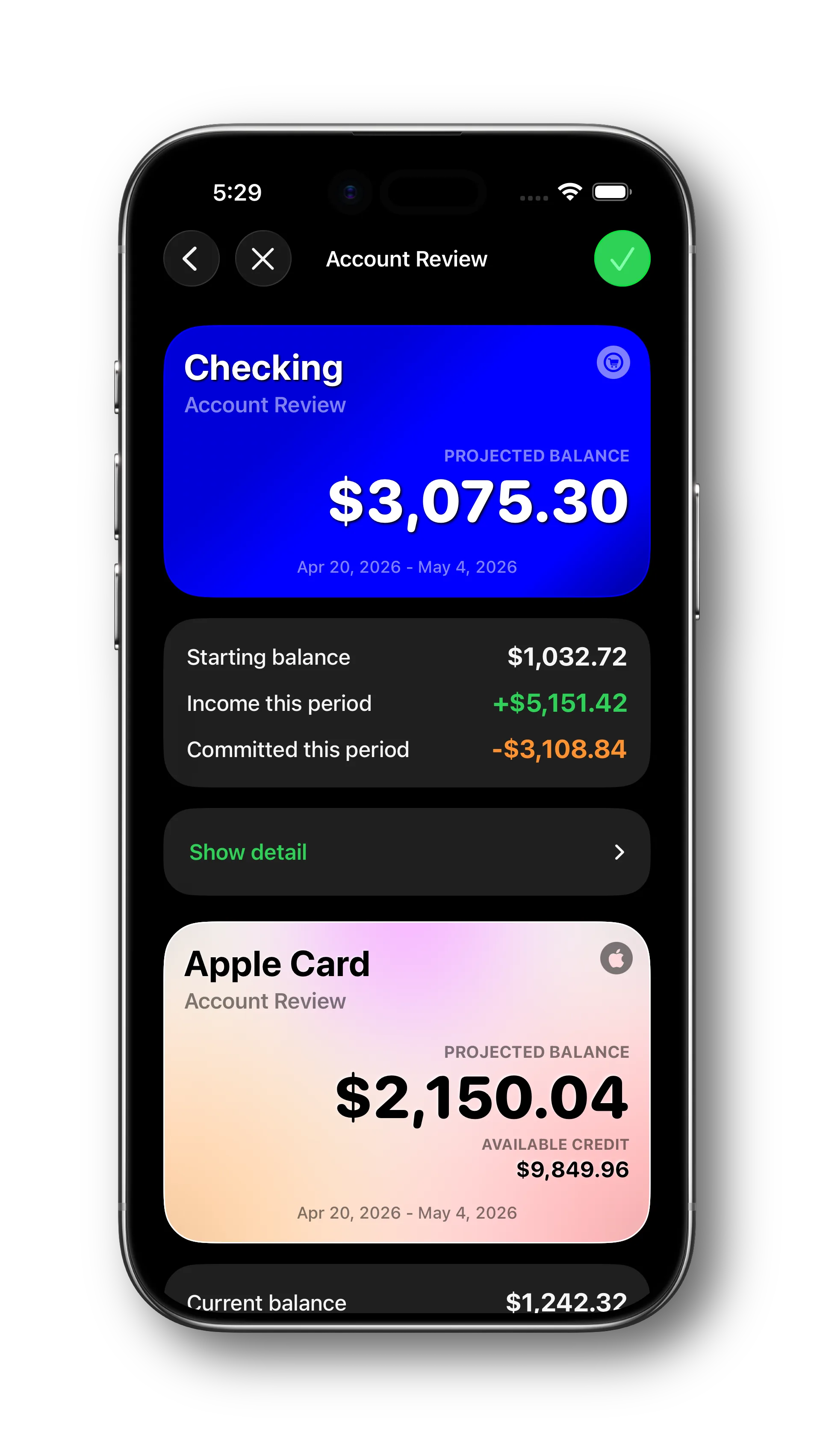
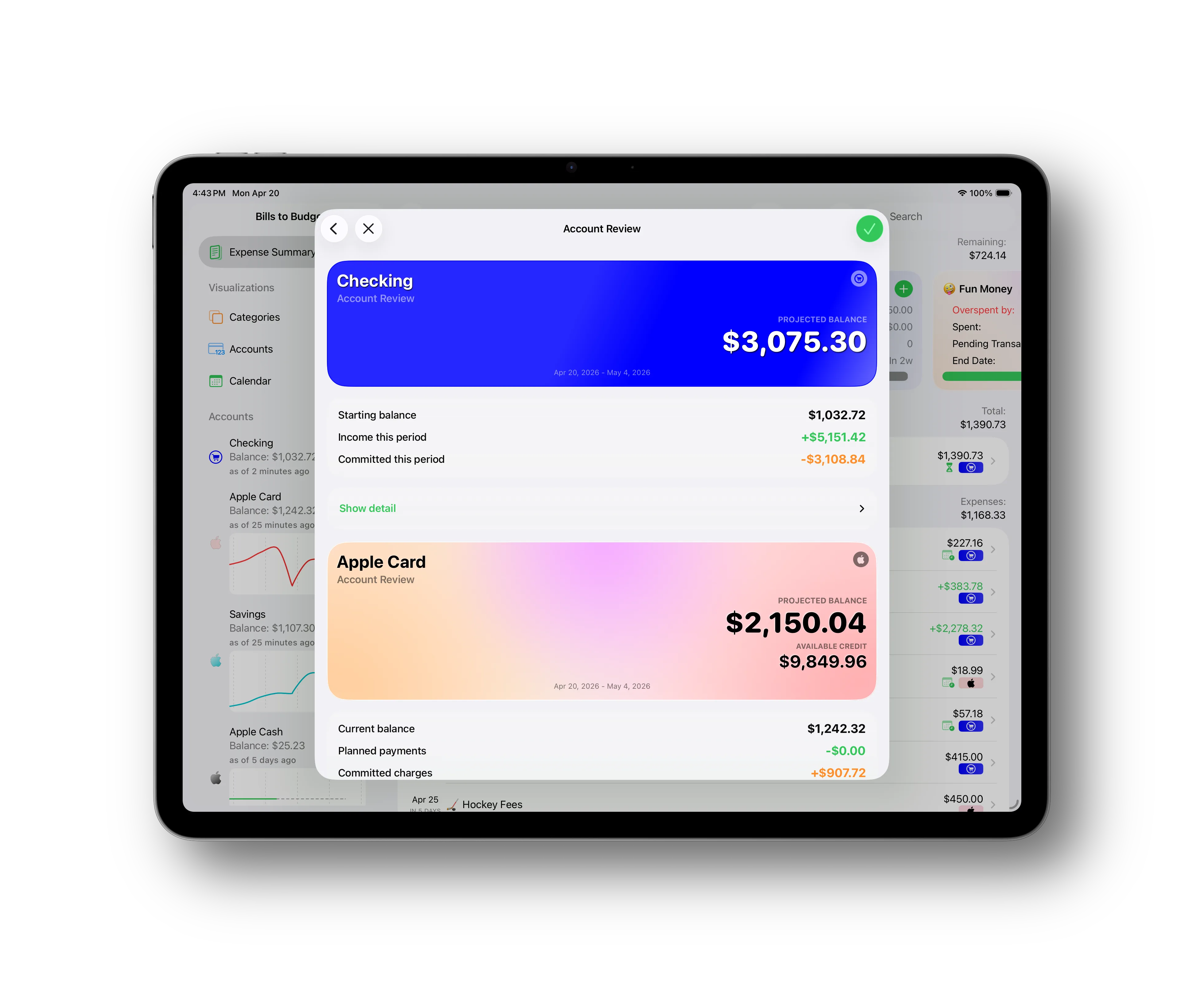
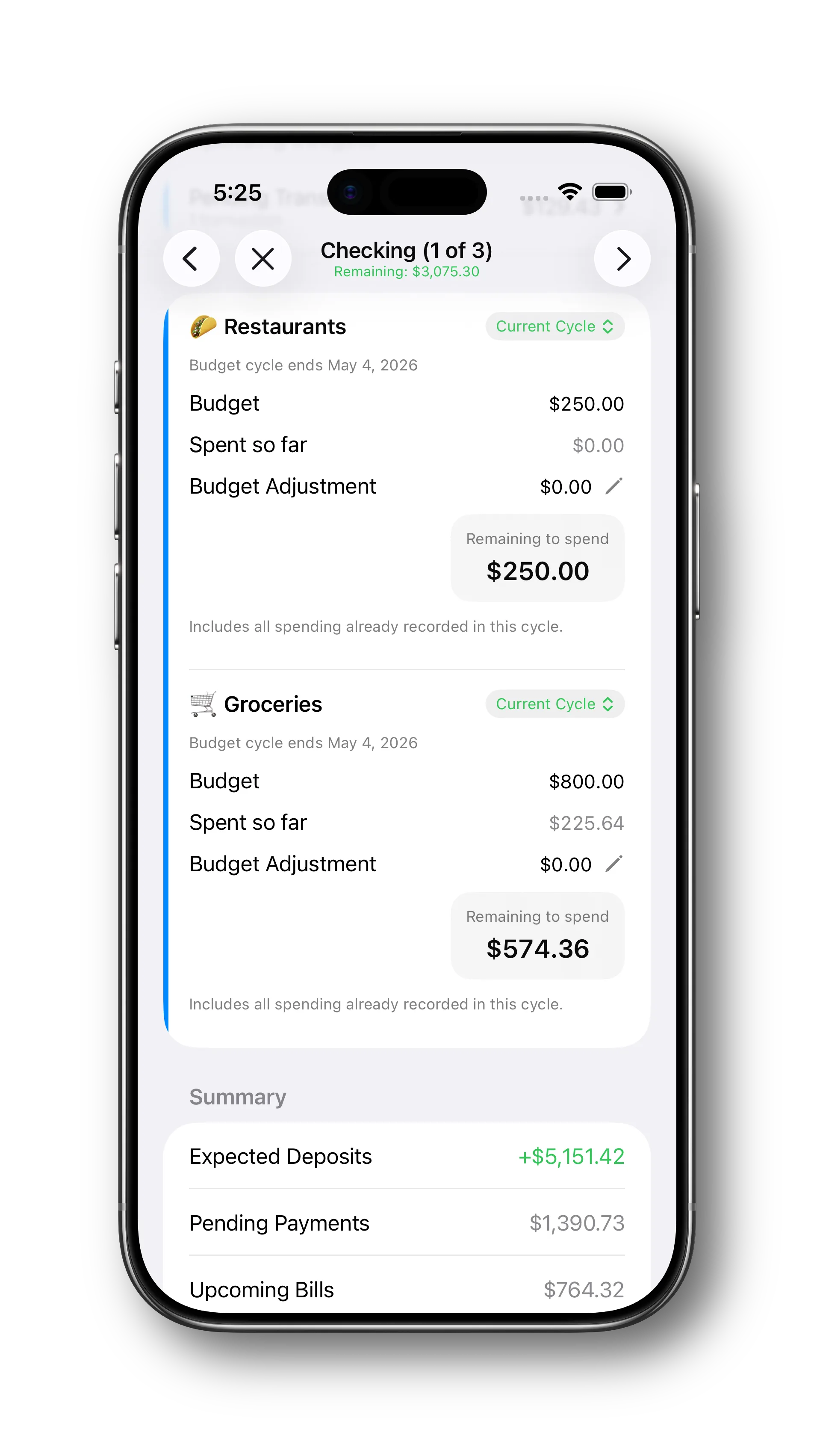
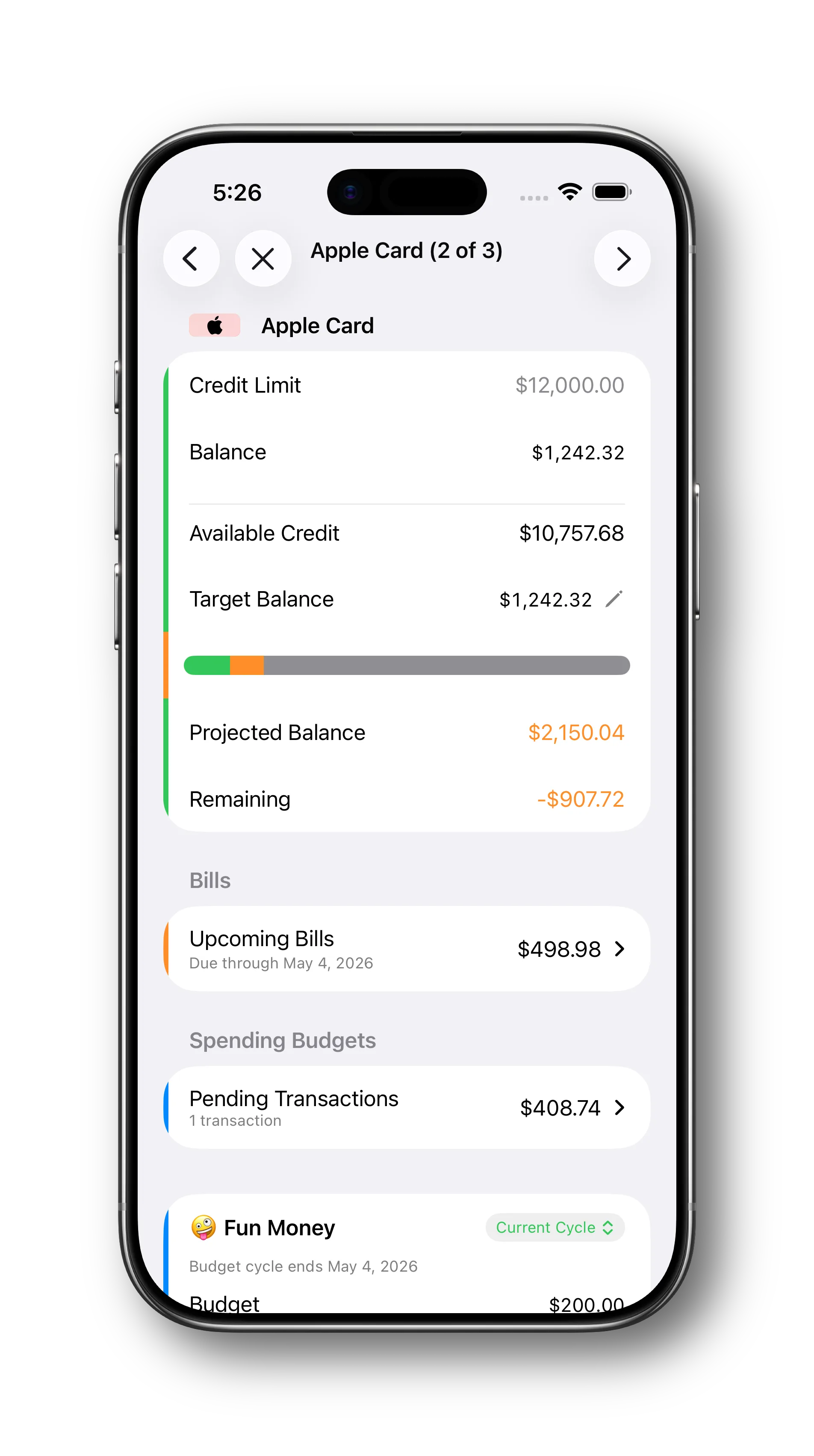
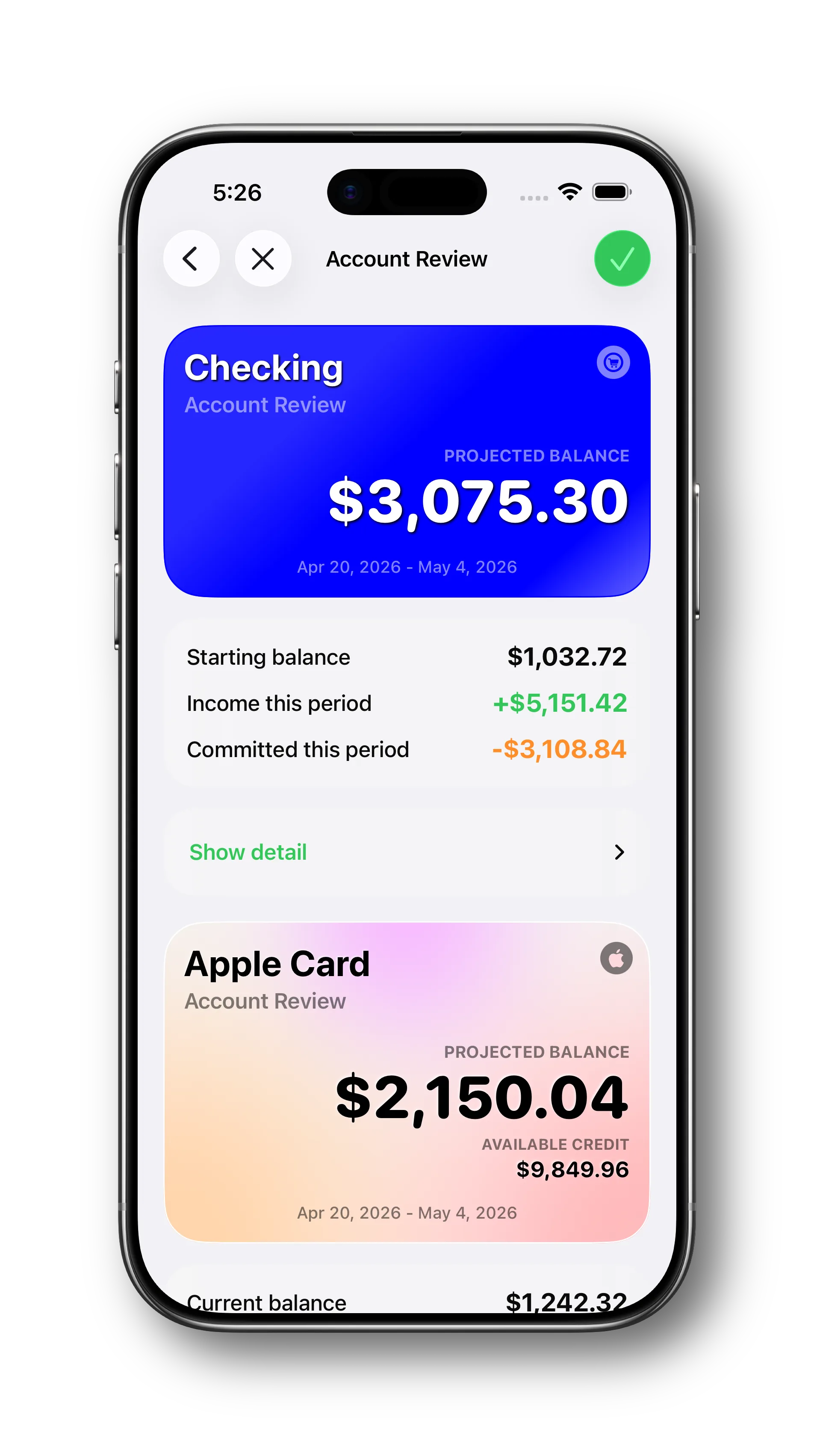
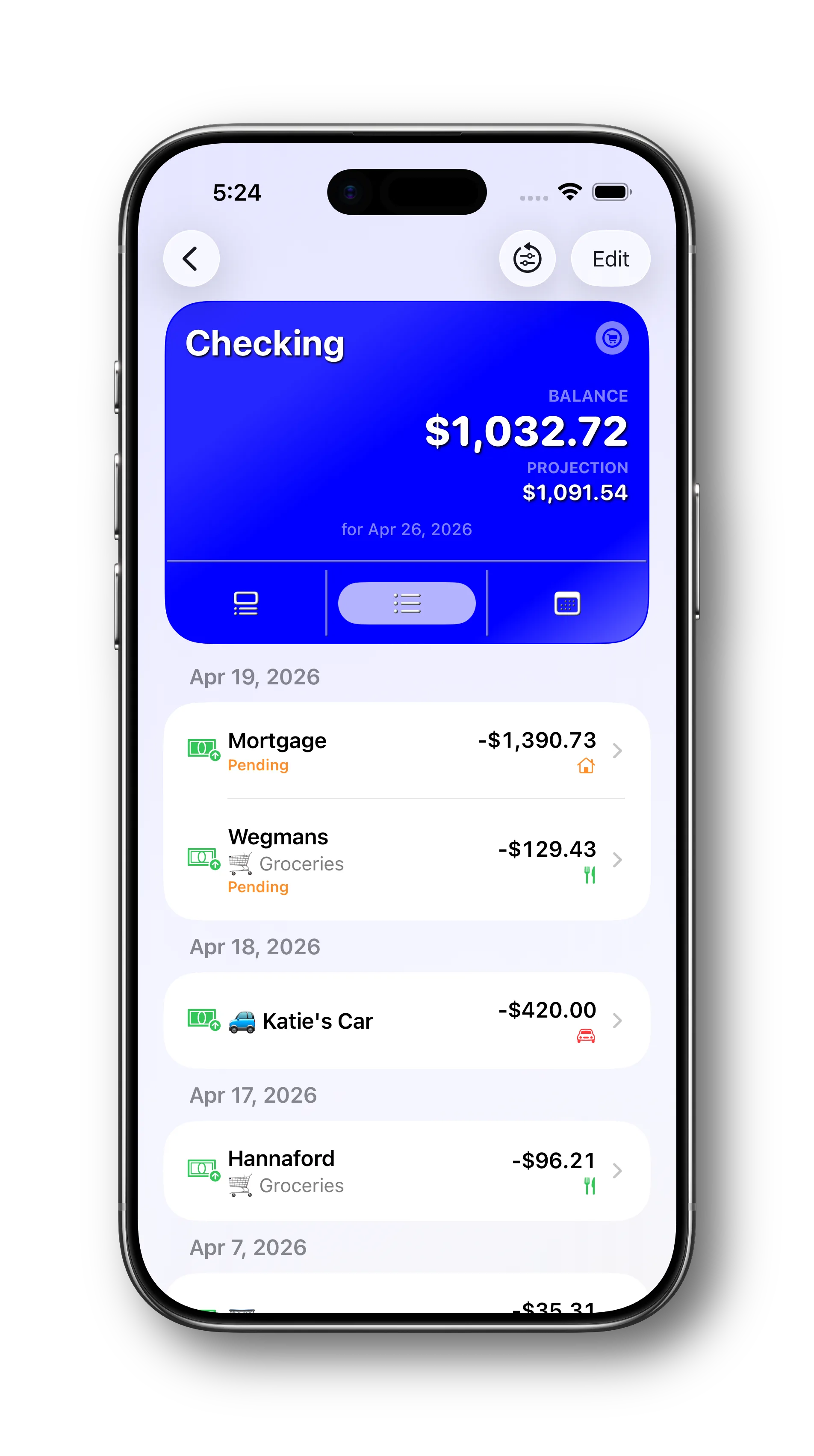
Account Review is the place where Bills to Budget helps you check whether your plan still matches reality. It pulls together balances, expected deposits, pending payments, spending-budget progress, and the remaining room in the cycle so you can work through an account and see where things stand instead of piecing it together from several screens.
That is useful in the middle of the cycle because drift usually starts before the month ends. A payment can be marked as paid without clearing the bank yet. A spending budget can already be off track within days. An expected deposit can change, and that change needs to flow through the rest of the plan. Account Review gives you a clearer way to work through those moving pieces while the cycle is still underway, so the current plan stays trustworthy instead of letting small mismatches pile up until the end.
When you do reach the end of the cycle, the same workflow helps you reset more cleanly into the next one. Overspend and underspend can be carried forward more deliberately, balances can be confirmed against reality, and the next cycle starts from a plan that has already been reviewed instead of one that still needs cleanup.
What changes in practice
- You get a better read on what money is actually available, not just what the bank app happens to show at the moment.
- Income that does not follow a perfectly regular schedule can still be represented cleanly in the plan, whether the amount changes on payday or arrives outside the normal schedule altogether.
- Account Review becomes a repeatable maintenance habit during the cycle, not just a last-minute month-end scramble.
- Resetting into the next cycle gets easier because balances, pending activity, budget adjustments, and carryover decisions are already in view.
Built for the messy parts of budgeting
Bills to Budget is built around the parts of money management that are easiest to underestimate: bills that are already spoken for, transactions that have not cleared yet, bigger expenses that are still ahead, and plans that need to adjust to how income actually arrives. This update pushes that core idea further by treating irregular income and account review as first-class parts of staying on track.
If you want a budgeting app that helps you stay ahead of bills, keep a clearer read on what is really available, and reset cleanly into the next cycle, Bills to Budget gives you a stronger way to do that now.
